From dimensions to the saw
Cabinet Run takes you from a room of cabinets to shop-ready cut files — without a CAD degree. Here's the whole flow.
Who it's for
Frameless cabinet shops and CNC owners who want to design fast and cut clean. If you run a router with Vectric today — and Mach4 or Avid soon — this is built for your workflow.
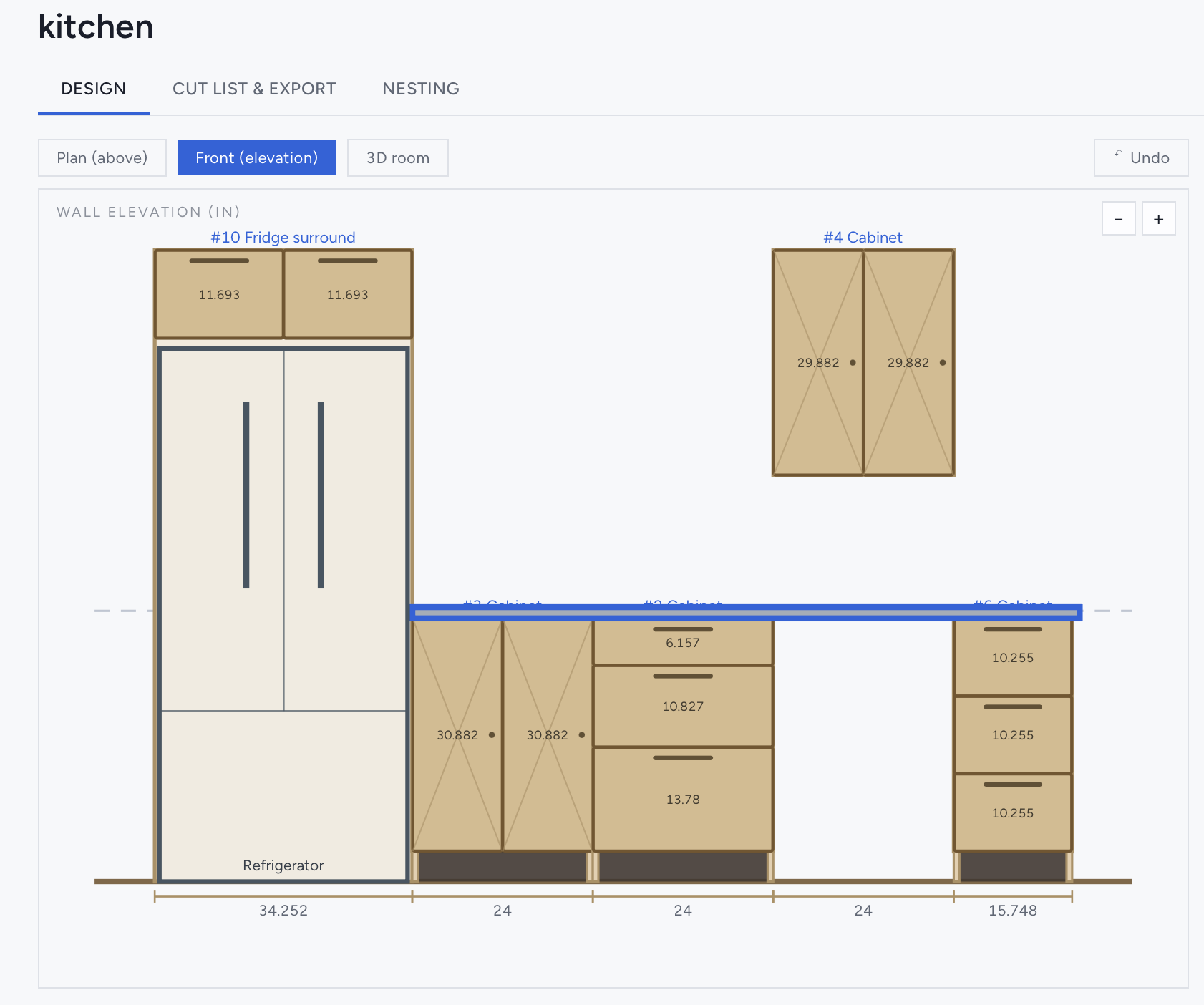
Design
Set your walls and drop in cabinets. Enter width, height and drawer counts; the engine derives every part, with 32mm boring, dados and reveals worked out for you.
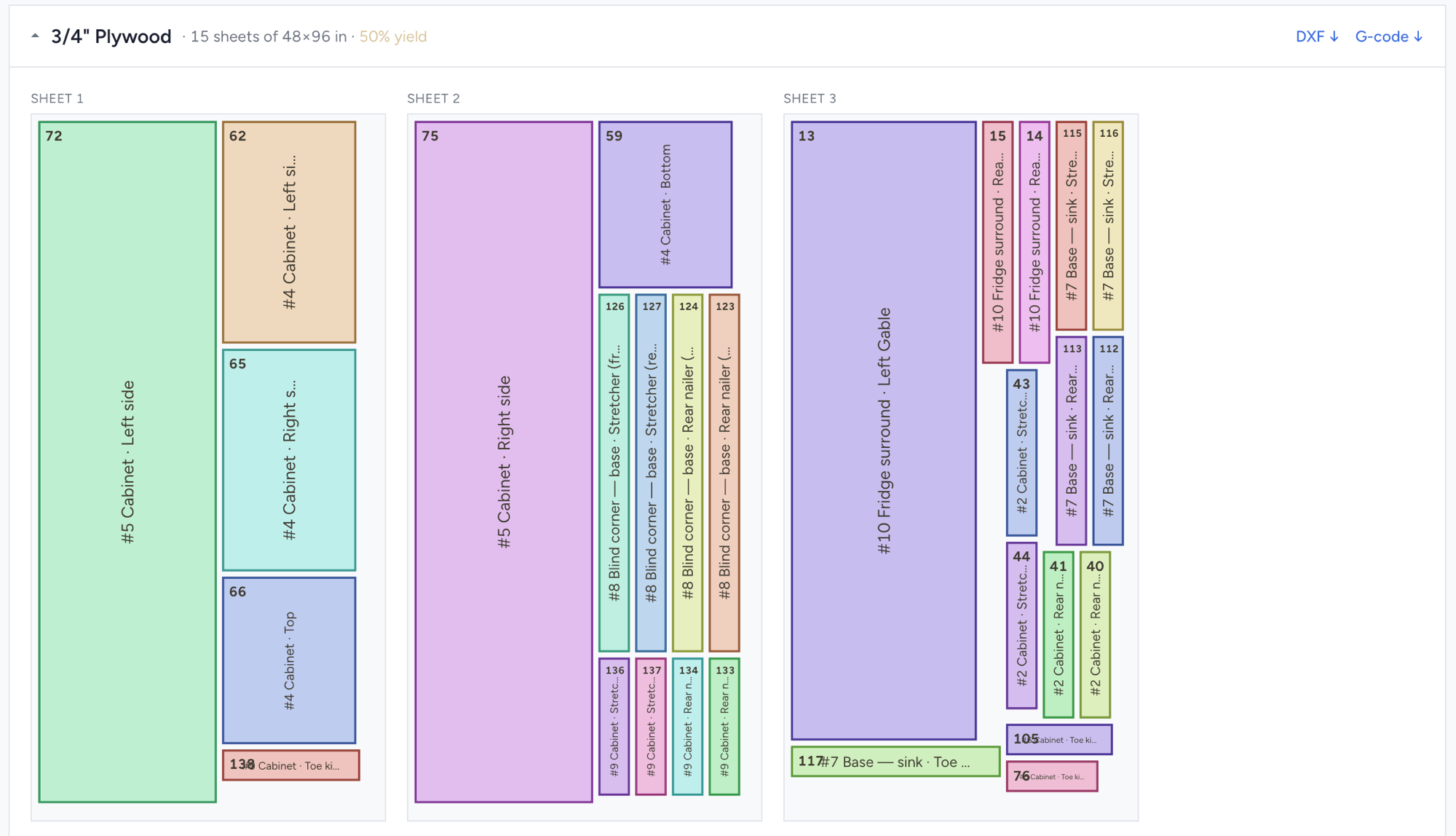
Nest
Pick the rooms and materials and every part packs onto sheets by material — with a yield %, numbered pieces and a legend back to each cabinet.
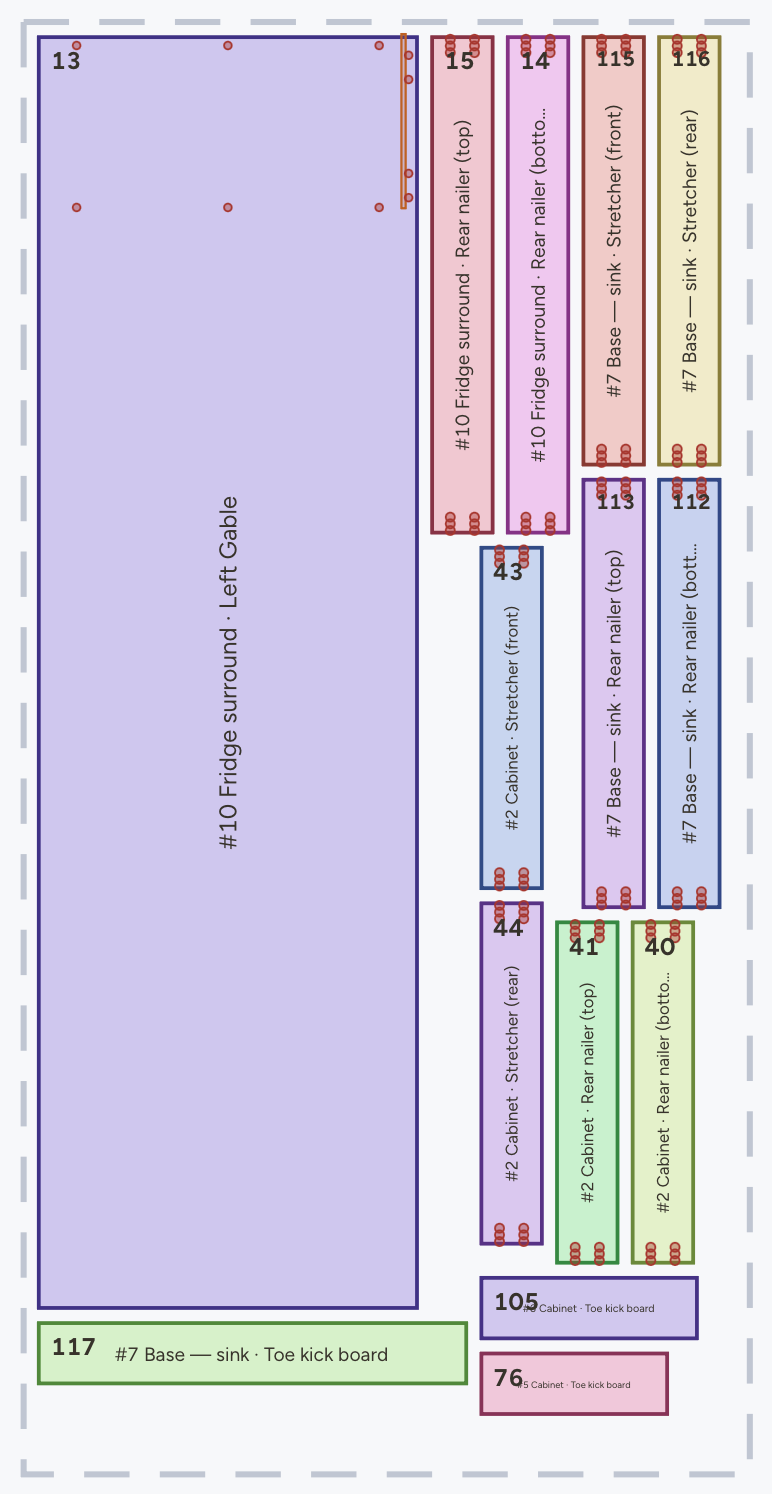
Cut
Export a labelled DXF per material for Vectric — parts on named layers, dados overcut, cutouts isolated. Tool-grouped G-code for Mach4 & Avid is coming soon.
Your designs stay yours — export anytime, cancel anytime, and we never sell your data.
Common questions
Do I need CAD experience?
No — you enter dimensions and drawer counts; the engine does the rest.
What can I export?
Labelled DXF today. Tool-grouped G-code for Mach4 & Avid is coming soon.
What does it cost?
Free to design and nest; $20/mo when you need unlimited exports.
More in the support & FAQ.